Your team already lives in WhatsApp, yet task updates still get lost in chat scroll. Adding another dashboard means retraining everyone and chasing logins that field staff rarely open. Choosing the wrong automation tool costs you adoption, not just money.
This comparison breaks down where Tasks.Bot fits WhatsApp-first teams and where a dedicated reminder tool may serve you better. You will see its features, pricing, and beta status, so you can decide whether it replaces your current workflow.
What Is Tasks.Bot? The WhatsApp-Native Task Management Platform
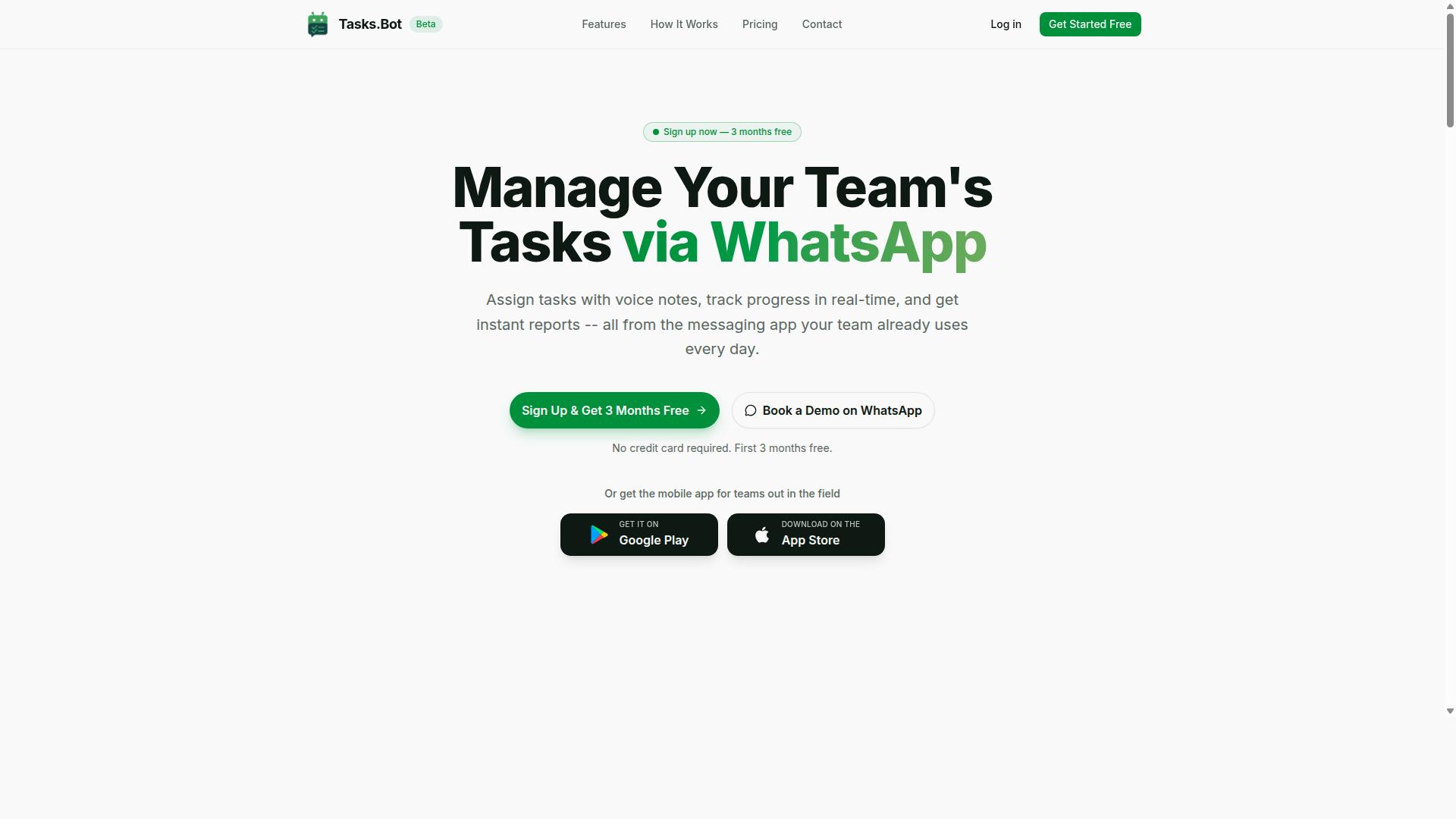
Tasks.Bot is a task management platform that operates entirely within WhatsApp, allowing teams to assign tasks, track progress, and receive reports without leaving the messaging app. Instead of asking employees to learn another dashboard, it meets them in the tool they already check dozens of times a day.
That design choice matters for workflow automation software. Most platforms assume every worker sits at a desk with a browser open. Tasks.Bot assumes the opposite: that many team members, especially those in the field, live on their phones and communicate through chat.
The platform handles core task management functions directly in the conversation. Tasks get assigned, progress gets tracked, and reports come back through the same thread. There is no separate app to open for the daily work of managing assignments and updates.
For teams that need more than chat, Tasks.Bot also offers a mobile app for field teams. This gives on-the-ground staff a dedicated option when WhatsApp alone is not enough for their workflow.
The service is currently in beta and offers a free trial period. That combination lets teams evaluate whether a WhatsApp-native approach fits their operations before committing, which is a practical way to test any new productivity tool against real work.
Unlike platforms built around Slack integration, Microsoft Teams, or Google Workspace, Tasks.Bot does not require a chat platform migration. It uses the messaging app most field and desk teams already have installed, which removes a common barrier to adoption for business automation.
Who Tasks.Bot Serves: WhatsApp-First Teams and Field Staff
Tasks.Bot is designed for teams that already use WhatsApp as their primary communication tool, especially those with field staff who need task management, attendance tracking, and payroll-ready hours. These are operations where a desk-bound project management suite often goes unused because the work happens away from a computer.
The fit is clearest for organizations coordinating people on the move. Think service crews, delivery teams, maintenance staff, or sales representatives who report in from the road. For them, the messaging app is already the office.
Three capabilities define the audience fit:
- Task management for assigning and tracking work as it happens
- Attendance tracking so managers know who is on the clock
- Payroll-ready hours that connect daily activity to compensation
What makes this practical is the low barrier to entry. Team members do not need new accounts or app installations to participate. They keep using the WhatsApp they already know, which shortens onboarding and reduces the training burden that slows down many workflow automation rollouts.
Tasks.Bot is not a niche experiment. The site mentions hundreds of teams already using the service, which suggests the WhatsApp-native model is finding real traction among field-heavy operations.
For managers comparing options, the question is less about feature checklists and more about adoption. A platform that lives where the team already communicates tends to get used, while a separate task management tool can sit idle. Tasks.Bot is built around that reality, serving WhatsApp-first teams that want structure without abandoning the app their staff already rely on every day.
Reminderly.ai vs Tasks.Bot: Which Fits Workflow Automation?
When evaluating workflow automation tools, it's important to understand how Reminderly.ai and Tasks.Bot differ in their approach and ideal use cases.
Reminderly.ai positions itself as a dedicated reminder tool, focused on prompting individuals or teams about upcoming events, deadlines, or recurring activities. Its strength lies in simplicity: if the goal is a lightweight nudge system, a standalone reminder app can cover that need without extra layers of functionality.
Tasks.Bot takes a different route. It is a WhatsApp-native task management platform, meaning task creation, assignment, and follow-up happen inside a messaging app most teams already use daily. Rather than adding another dashboard to check, it folds task management into an existing communication channel.
The two tools are not built for the same job, and that distinction matters when selecting workflow automation software. A reminder tool handles notifications. A task management platform handles ownership, deadlines, reporting, and accountability across a team.
This comparison looks at where each approach fits best. It does not crown a single winner, because the right choice depends on whether a team needs basic reminders or a fuller system for assigning, tracking, and reporting on work. The sections below break down the specific strengths of each.
Where Tasks.Bot Excels: Automation Inside WhatsApp, No New Apps
Tasks.Bot shines in environments where teams rely heavily on WhatsApp, offering seamless task automation without requiring members to install new software or create accounts. This removes one of the biggest barriers to adopting any productivity tool: onboarding friction.
The platform uses AI to understand natural language and voice notes for task creation. A team member can describe what needs to be done in plain conversation, and the system turns that into an actionable task. This reflects the broader shift toward conversational AI and intent recognition in business automation, where the interface is a chat window rather than a form with fields.
Beyond task capture, Tasks.Bot supports several capabilities that matter for team coordination:
- Automatic task assignment, so work routes to the right person without manual sorting
- Smart deadline reminders, keeping timelines visible inside the same chat
- Instant reports, giving managers a quick view of progress
- Face-verified attendance and live GPS tracking for field staff
The attendance and GPS features stand out for teams with mobile or field-based workers, a scenario where traditional project management dashboards often fall short. Instead of asking staff to log into a separate system, verification happens through the same channel they already use.
Security is handled with enterprise-grade encryption. Conversations and task data are never shared or used for training, which addresses a common concern about AI-powered tools handling internal communications.
For teams already living in WhatsApp, this model means no new accounts, no training sessions on unfamiliar software, and no gap between where conversations happen and where tasks get tracked. That alignment is what makes adoption frictionless rather than forced.
Where a Dedicated Reminder Tool May Fit Better
For teams that need standalone reminder capabilities without a full task management system, a dedicated tool like Reminderly.ai might be more appropriate. Not every workflow requires assignment logic, reporting, or attendance tracking.
Consider a few scenarios where a simpler reminder approach can make sense:
- An individual managing personal deadlines with no team coordination involved
- A small group that only needs recurring prompts, such as weekly check-ins or payment due dates
- A team already using a separate project management platform and looking only to layer reminders on top
In these cases, a focused reminder tool avoids the overhead of a broader system. There is nothing to configure around task ownership or reporting because those needs simply are not present.
It is also worth noting that the two approaches can be complementary rather than competing. A team might use a dedicated reminder tool for simple, one-off notifications while relying on Tasks.Bot for anything involving assignment, deadlines, or field staff accountability. The question is not which tool is universally better, but which matches the shape of the work.
Where a reminder tool tends to reach its limits is when work needs to be routed, tracked, and reported on. At that point, the absence of task management features becomes a gap rather than a benefit. Teams should weigh how much of their workflow involves coordination versus simple notification, and choose accordingly.
For organizations already operating inside WhatsApp and needing more than a nudge, Tasks.Bot offers a 3-month free trial with no credit card required, which gives teams room to evaluate whether a WhatsApp-native task management platform fits better than a standalone reminder app.
Key Features and What Makes Tasks.Bot Stand Out
Tasks.Bot offers a range of features designed to streamline task management and team coordination directly within WhatsApp. Instead of asking teams to adopt yet another dashboard, it meets them in a messaging app they already use every day.
That choice matters for workflow automation software. Adoption is often the hardest part of any productivity tool, and a native WhatsApp integration removes much of the friction that comes with learning a new interface.
Several capabilities set the platform apart:
- Voice note task creation and automatic task assignment
- Smart deadline reminders
- Approvals and automations
- Instant reports
- Tasks on a map and a live day tracker
- Face-verified attendance
- Shifts, leave, and hours management
Tasks.Bot also ships Android and iOS apps with push notifications, voice capture, and a home screen widget. The service uses AI to understand user intent and create tasks from messages, which is central to how it functions as a conversational AI assistant rather than a static to-do list.
For field-based businesses, the mobile app extends the same system beyond the office. The sections below look at the AI-driven task creation tools and the field team features in more detail.
Voice Notes, AI Task Creation, and Smart Deadline Reminders
Tasks.Bot leverages AI to transform voice notes and natural language into actionable tasks, complete with smart deadline reminders. A team member can send a voice message or type a plain sentence, and the system handles the rest.
This is where natural language processing earns its keep. The AI interprets user intent and creates tasks from messages, so instructions do not need to follow a rigid format or template.
Automatic task assignment means the right person receives the work without a manager manually routing it. For teams juggling multiple projects, that removes a recurring layer of administrative overhead.
Smart deadline reminders then keep those tasks moving. Rather than relying on someone to remember a due date, the platform surfaces reminders so work does not quietly slip. This combination of voice capture, intent recognition, and deadline tracking is what separates Tasks.Bot from a basic chatbot.
The practical benefit is simple: less manual entry, fewer dropped tasks. Field staff can report an issue in seconds by voice, and office teams can log requests in a single message. Both paths lead to the same organized task list.
Field Team Tools: GPS Tracking, Face-Verified Attendance, and Live Day Tracker
For teams with field staff, Tasks.Bot provides specialized tools including GPS tracking, face-verified attendance, and a live day tracker to monitor progress in real time. These features address a common gap: office-based project management software rarely accounts for people who work on the move.
GPS tracking supports location verification, which helps confirm that field visits and site tasks happen where they should. Face-verified attendance adds a second layer of accuracy for check-ins, reducing the ambiguity that comes with manual sign-in sheets or shared devices.
The live day tracker gives managers a running view of task progress across the day. Combined with tasks on a map, it turns scattered field activity into something visible and reviewable.
These tools run through the same WhatsApp-based platform and the Android and iOS apps. Field workers interact with the system the same way the rest of the team does, while managers get the oversight they need.
Shifts, leave, and hours management round out the field operations picture, connecting attendance and time data to the wider task workflow. For businesses running distributed crews, that means one system instead of several disconnected ones.
Pricing and Plans
Tasks.Bot offers a straightforward pricing structure with a single 'Full Access' plan that includes all features. There are no starter tiers, no feature gates, and no upsells to worry about. Every member on your team gets the same complete set of tools from day one.
This flat approach stands out in the workflow automation software market, where many platforms split capabilities across multiple subscription levels. With Tasks.Bot, you do not have to guess which tier unlocks a particular capability or budget for an upgrade later. One plan, all features, keeps budgeting simple for teams of any size.
Pricing is listed in Indian Rupees (₹) and US Dollars ($). The site includes a 'Select currency' option with these two choices, so you can view costs in whichever currency fits your accounting. It is worth confirming your selection before you commit, since displayed rates will reflect the currency you pick.
Because the plan is priced per member, costs scale predictably as your team grows. Adding a colleague does not trigger a tier change or a new negotiation, it simply adds one more seat at the same rate. For teams comparing workflow automation software on total cost of ownership, that predictability matters as much as the headline number.
Full Access Plan: ₹200/Month or ₹1,200/Year per Member, With 3 Months Free
The Full Access plan costs ₹200 per member per month, or ₹1,200 per year per member, effectively giving you 3 months free on the annual plan. The monthly route suits teams that want flexibility, while the yearly route rewards a longer commitment with a lower effective rate.
Here is how the two options compare:
- Monthly: ₹200 per member per month, billed each month
- Annual: ₹1,200 per member per year, which works out to 3 months free compared with paying monthly
New users also get 3 months free, no credit card required, and can cancel anytime. That combination lowers the barrier to evaluating the platform. You can explore the full feature set before any payment details are involved.
Pricing is available in US Dollars as well, so international teams can review the plan in their preferred currency through the 'Select currency' option. The structure stays the same either way: one plan, one per-member rate, and every feature included.
There are no hidden tiers and no feature locked behind a higher package. Whether you run a small team or a larger department, the same Full Access plan applies to every seat. For readers weighing Tasks.Bot against other workflow automation software, that simplicity makes the cost easy to model: multiply the per-member rate by your headcount, then decide between monthly and annual billing.
Trust Signals: Beta Status, Encryption, and Refund Policy
Tasks.Bot is currently in beta, but it already implements encryption and offers a refund policy to build trust with early adopters. That combination matters when you are weighing workflow automation software for real business use.
Anyone comparing Reminderly.ai and Tasks.Bot should look past feature lists and check how each product handles risk. Beta status, data protection, and a clear refund path tell you how a vendor treats the people who commit early.
Beta means evolving, not unfinished. The platform is functional today and continues to improve as feedback comes in. Early users get access to a tool that is actively being shaped, which is common for newer productivity tools built around an AI assistant and chatbot style of interaction.
Encryption protects the data you put into the system. For teams connecting tools like Slack integration, Microsoft Teams, or Google Workspace, that protection is a practical requirement, not a nice extra. Business automation often touches internal conversations and task management records, so securing that flow is essential.
The site mentions a refund policy in the footer. Having that policy documented gives buyers a defined path if the product does not fit their needs. It is a simple signal, but a meaningful one for anyone hesitant about adopting newer no-code automation software.
Tasks.Bot also offers a Book a Demo on WhatsApp option. This lets you see the product in action and ask questions before committing. For teams used to Zapier, Make, or n8n style workflows, a live walkthrough can clarify how natural language processing and intent recognition fit into daily task management.
Together these signals point to a straightforward conclusion. Tasks.Bot is a legitimate, transparent option for workflow automation software, still growing, but open about where it stands and how it protects the people using it.
Who Should Use Tasks.Bot
Tasks.Bot is ideal for teams that communicate primarily via WhatsApp and need to manage tasks, track attendance, and generate reports without adopting new software. Instead of forcing staff to learn a separate dashboard, the tool works inside the messaging app they already open every day.
That design choice matters most for field-based teams, where employees are rarely sitting at a desk. When work happens on the move, adding another login is a real barrier. Keeping task management inside WhatsApp removes that friction almost entirely.
Hundreds of teams already use the service, which suggests the WhatsApp-first model fits a genuine, everyday need rather than a niche experiment.
The strongest fit is any business where supervisors assign work by phone and need proof it was done. Common examples include:
- Field staff who receive job instructions and confirm completion
- Teams that need attendance tracking tied to shift start and end
- Managers who need payroll-ready hours without manual timesheet chasing
- Small operations that want automation but have no dedicated IT staff
Each of these groups shares one trait: their work already flows through chat, so a chatbot that lives there feels natural rather than imposed.
Businesses exploring no-code automation also benefit, because setup does not require developers or a lengthy integration project. The AI assistant handles routine back-and-forth, while staff simply reply in the thread they already use.
Compare that to traditional project management platforms, which often assume desktop access and formal onboarding. For distributed or mobile-heavy teams, that assumption is where adoption quietly fails. Tasks.Bot sidesteps the problem by meeting people where they are.
It is worth being clear about who this is not for. Teams already standardized on desktop-heavy tools with complex dependencies may find a WhatsApp-first approach redundant. The value shows up when communication and task tracking live in the same place.
If your staff coordinate by chat, log hours manually, and lose track of who did what, Tasks.Bot targets exactly that gap. It suits organizations that value simplicity over sprawling feature sets, and practical daily use over occasional reporting.
In short, the ideal user is a WhatsApp-centered team with field or mobile staff that wants task management, attendance tracking, and payroll-ready hours handled through no-code automation and an AI assistant, without migrating to unfamiliar software.
Final Verdict: Is Tasks.Bot Worth It for Workflow Automation?
Tasks.Bot presents a compelling option for teams seeking to automate task management within WhatsApp, though it may not suit every workflow. The platform pairs an AI assistant with a chat-first design, so routine coordination happens where many teams already spend their day.
Weighing that against its beta status and its focus on the WhatsApp ecosystem gives a clearer picture of who benefits most.
Where Tasks.Bot stands out:
- WhatsApp-native: task management happens inside a messaging app teams already use, which lowers the adoption barrier common to standalone productivity tools.
- AI-powered: an AI assistant handles the conversational side of assigning and tracking work, reducing manual data entry.
- Field team tools: the product is built with mobile and on-the-go crews in mind, a segment often underserved by desktop-first project management platforms.
- Simple pricing: the cost structure stays straightforward, without the tiered complexity that makes budgeting harder for smaller teams.
Where it may fall short:
- Beta status: the product is still maturing, so buyers should expect ongoing changes rather than a fully settled feature set.
- Ecosystem limits: teams that depend on Slack integration, Microsoft Teams, or Google Workspace as their primary hub may find the WhatsApp focus restrictive.
For organizations already running daily operations through WhatsApp, those trade-offs are often acceptable. The tool fits naturally into existing habits instead of demanding a new one.
For teams standardized on Slack or Microsoft Teams, a platform built around those channels will likely cause less friction. The right choice depends on where your team actually communicates, not on which tool has the longest feature list.
Tasks.Bot is worth considering if WhatsApp is central to how your team coordinates, and the beta label signals an actively evolving product rather than a finished one. Teams that value conversational AI, field-friendly task management, and uncomplicated pricing will find the most value here.
For more information or to get started, contact Tasks.Bot at hello@tasks.bot or +91 97143 42522.
Frequently Asked Questions
What makes Tasks.Bot different from Tasks.Bot for workflow automation?
Tasks.Bot runs your task management entirely inside WhatsApp, so your team can assign tasks, get reminders, and receive reports without installing new software or creating new accounts. It also uses AI to understand natural language and voice notes, making task creation as simple as sending a message. Tasks.Bot adds a mobile app for field teams plus features like face-verified attendance and live day tracking.
Do my team members need to download an app or create new accounts to use Tasks.Bot?
No. Tasks.Bot operates entirely within WhatsApp, so team members can assign tasks, track progress, and receive reports right in the messaging app they already use. A mobile app is also available for field teams that need it. This keeps onboarding simple and avoids the friction of adopting a whole new platform.
How much does Tasks.Bot cost compared to other workflow automation tools?
Tasks.Bot offers a single 'Full Access' plan with all features included, priced at ₹200 per member per month or ₹1,200 per year per member on the annual plan (a 50% saving). Pricing is available in both Indian Rupees and US Dollars. Since competitor pricing varies and changes often, we recommend checking each vendor's current plans directly for an accurate comparison.
Can Tasks.Bot handle field teams and attendance, not just task assignment?
Yes. Tasks.Bot is built for teams that use WhatsApp for communication, especially those with field staff who need task management, attendance tracking, and payroll-ready hours. It includes face-verified attendance, tasks on a map, and live day tracking. This makes it a strong fit for field operations, not just office-based workflows.
How do reminders and reporting work in Tasks.Bot?
Tasks.Bot sends smart deadline reminders automatically and provides instant reports, so you can stay on top of progress without chasing updates. Approvals and automations help move tasks through your workflow with less manual effort. Everything is delivered within WhatsApp, keeping communication and task tracking in one place.
Is Tasks.Bot available in my country, and how can I try it?
Tasks.Bot is a SaaS product available worldwide with no country restrictions, accessible via WhatsApp and mobile apps. You can book a demo on WhatsApp to see it in action before committing. Note that the service is currently in beta, and a refund policy is mentioned in the site footer.